
PostFactory vs GeeLarkYour phone or ours. We'll post for you.
Let an agent publish from your Content Pool while you work on the next batch. Use your own Android or rent one from PostFactory. Every plan includes credits for posting and warm-up, even on a shared phone.
See the differences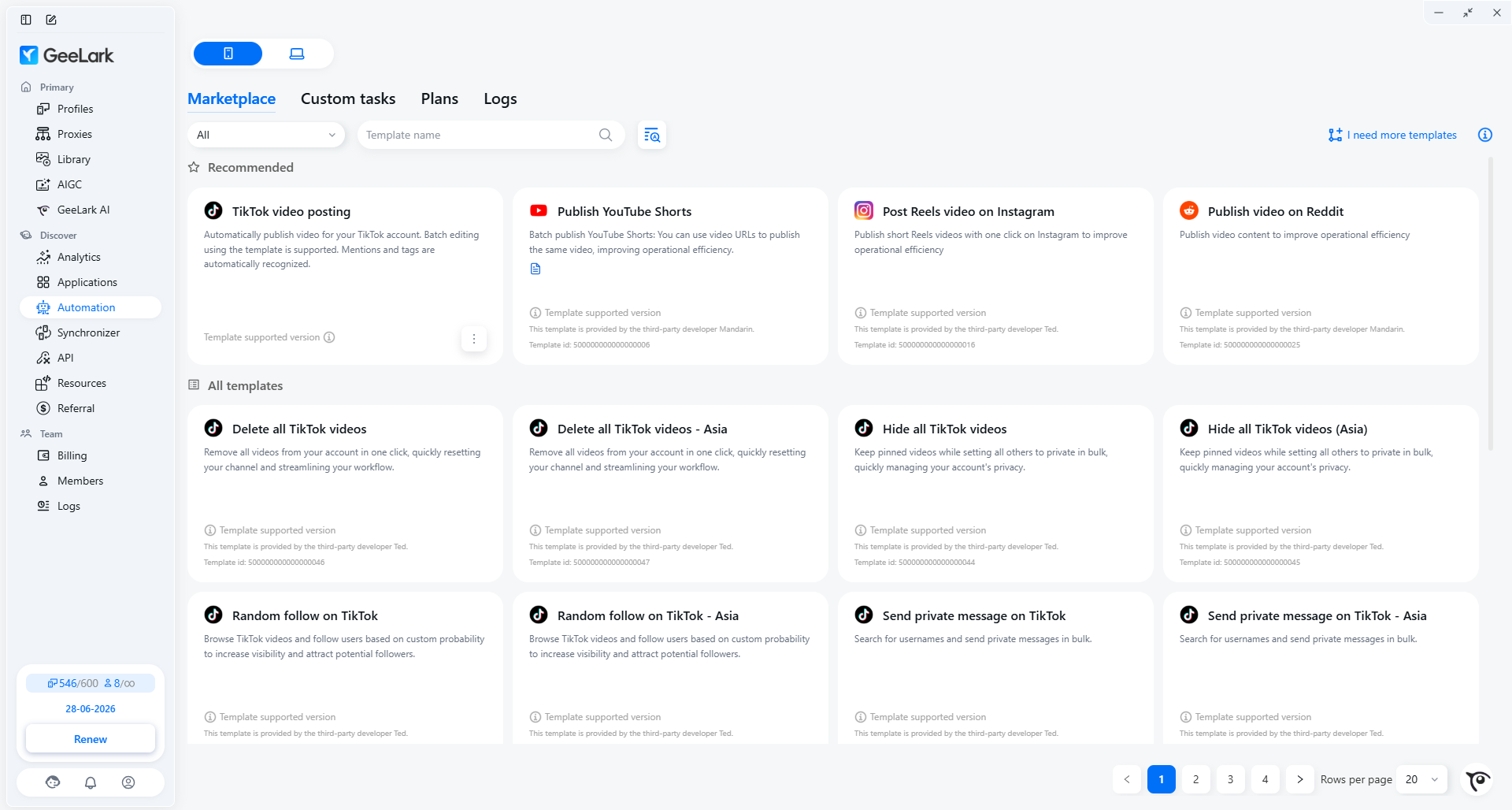
Feature-by-feature comparison
| Feature | PostFactory | GeeLark |
|---|---|---|
| Included Usage | 300–3,500 credits per month | Cloud minutes vary by plan |
| Android Phones | Your own, shared or dedicated rental | Local Android or cloud phone |
| Pay-per-Task Phone Rental | Available | Unavailable |
| Own Android, Computer Off | Available | Unavailable |
| Phone Pairing | QR code in the Android app | Desktop app + USB |
| Video Creation | Mix hooks, copy and demos into clips | AI image and video tools |
| Auto-Scheduling | Posts ready clips from your Content Pool | Template-based batch scheduling |
| Account Warm-up | Scheduled sessions per account | Cloud-phone warm-up templates |
| Developer API | Public API + hosted MCP | Public API + CLI-based MCP |
| Publishing via MCP | Schedule clips and manage the post queue | Schedule and manage cloud-phone tasks |
| Usage Preview | See credits before each post | Cloud minutes and account balance |
| Analytics | Views by market, account and post | Social account metrics |
| Team Access | Available | Available |
PostFactory devices · PostFactory Content Pool · PostFactory plans · PostFactory MCP · GeeLark local device setup · GeeLark features · GeeLark cloud billing · GeeLark MCP · GeeLark tasks and tools · GeeLark warm-up
What if you post 50 clips a week?
Say you and a teammate look after 10 TikTok accounts and post five clips per account each week. The choice comes down to how you want those 50 posts to go out and what you want your team to handle.
Use the Androids you have or rent as you go
If your team already has spare Androids, PostFactory pairs them with a QR code and keeps publishing while the phones stay online. Your teammates can shut their laptops at the end of the day. Need a phone for an extra campaign? Use the credits in your plan to run tasks on a shared Android. A dedicated rental gives your team a real Android it can keep using month to month.
GeeLark is a fit for a team that wants cloud-phone profiles to organize and run in batches. It also supports phones you own through its desktop app, with an initial USB connection for local devices.
PostFactory pairing · GeeLark local device setup · GeeLark cloud phones
Keep clips going out as they're ready
If your team finishes clips throughout the week, PostFactory can publish each one from the phone assigned to its account. For accounts with auto-scheduling enabled, it can also pick ready clips from your content pool and put them on the calendar. Your team can see what's coming up and what went out.
GeeLark's TikTok template suits teams that prepare a batch together. They can edit post details in a spreadsheet and space the batch out across their selected cloud phones.
Share the work with your team and your AI agent
Picture a teammate who handles the posts and a client who only needs the numbers. In PostFactory, an Operator can publish and run warm-up while a Viewer can see analytics and account status. GeeLark also offers roles and permissions, including access to specific cloud phones and groups.
If Friday's clip needs to come off the calendar, an AI agent connected to PostFactory through MCP can find the queued post and cancel it with your approval. The same connection can schedule a replacement, start warm-up or turn on auto-scheduling for an account that's ready. GeeLark's MCP also schedules supported tasks and gives its agent tools to manage cloud phones, profiles and task history.
PostFactory team roles · PostFactory MCP setup · GeeLark team access · GeeLark MCP
Which tool should you choose?
Choose PostFactory if…
- You want ready clips from your Content Pool to go on the calendar automatically.
- You want to mix hooks, copy and demos into a batch of ready-to-post clips.
- You want your AI agent to schedule posts, run warm-up and check your results.
- You want to use your own Android, rent one by the month or pay per task with the credits in your plan.
Choose GeeLark if…
- You mainly need cloud phones you can group by client or account.
- You only need to schedule batches of TikTok posts from a spreadsheet.
- Your team builds its own automations in a visual editor.
- You want to repeat the same action across several cloud phones.
Frequently asked questions
Which is better for running several TikTok accounts?
PostFactory is a better fit if you want to make clips in batches, keep each account's calendar filled with ready clips and let an agent publish from its Android. GeeLark is a good fit if your team wants to manage cloud phones and build its own automations.
What can I do with my included credits?
Every PostFactory plan includes credits for posting and warm-up. You can use them on an Android you own or on a shared rental when you need another phone.
Does GeeLark publish TikTok videos automatically?
Yes. GeeLark can publish a batch on selected cloud phones using its TikTok posting template. In PostFactory, eligible accounts can pull ready clips from the Content Pool, add them to the schedule and publish them from the phones linked to those accounts.
Which tool is better for making clip variations?
PostFactory is built for turning the same hooks, copy and demos into batches of clips you can send to your Content Pool for posting. GeeLark offers AI image and video generators and a video editor.
Do PostFactory and GeeLark both have an API and MCP?
Yes. PostFactory offers a hosted MCP you can connect to with browser sign-in. With the right permissions, your AI agent can check a post's credit cost, schedule it and manage warm-up. GeeLark documents a CLI-based MCP for managing cloud phones and scheduling supported tasks.
Can I keep my phones if I switch from GeeLark?
Yes, if they're supported Android phones you own. PostFactory pairs them via QR and publishes while they stay on and online. If you currently use GeeLark cloud phones, you can bring your own Android or rent one from PostFactory.
Can I try PostFactory without buying a phone?
Yes. A shared Android lets you pay per task using credits from your plan. A dedicated Android is a separate monthly rental and is the rental option for YouTube.
Ready to schedule your first post?
Find a plan for your accounts and see what you can hand off to PostFactory.
See PostFactory plansSee how phone setup works