
PostFactory vs PhoneFarmPut the Androids you already own to work.
Let an agent warm up your accounts and publish the next batch from your own Androids. Need another phone for a client campaign? Use a shared Android with the credits in your plan, or rent a dedicated one by the month.
See the differences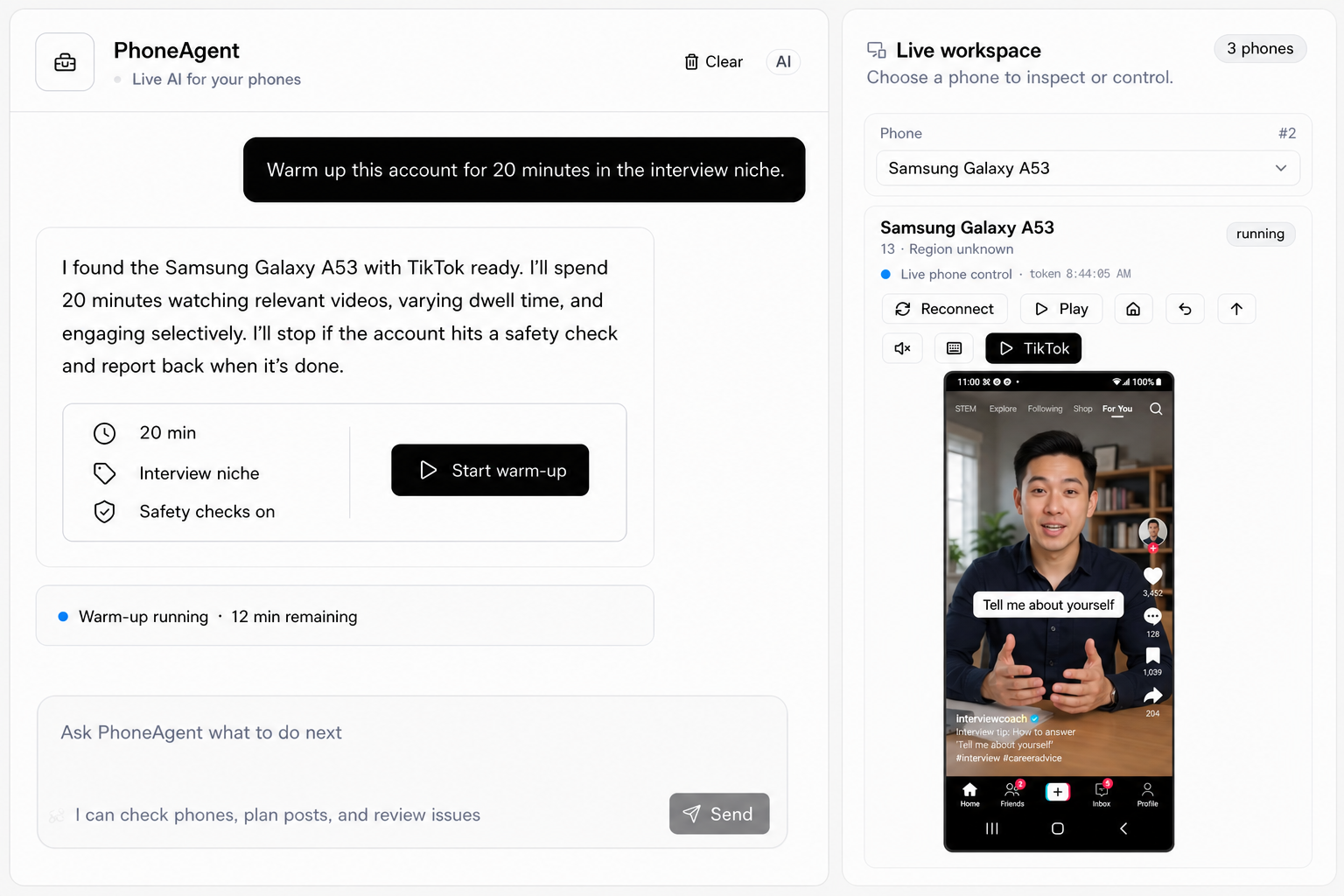
Feature-by-feature comparison
| Feature | PostFactory | PhoneFarm |
|---|---|---|
| Publishing Inside Social Apps | Available | Available |
| Device Setup | Pair your Android by QR | Provision a hosted phone |
| Rental Options | Shared per task or dedicated monthly | Monthly hosted phone or managed fleet |
| Account Warm-up | Schedule sessions by account | PhoneAgent and preset skills |
| Clip Variations | Reuse your hooks, copy and demos | Generate content in The Lab |
| Auto-scheduling | Fill account calendars from your Content Pool | PhoneAgent schedules posts |
| Agent Control | Use your AI assistant through hosted MCP | Give tasks to PhoneAgent |
| Reporting | Views by market, account and post | Owned signals dashboard |
PostFactory devices · PostFactory Content Pool · PostFactory plans · PostFactory MCP · PhoneFarm product and plans · PhoneFarm setup · PhoneFarm skills
What if you add a client for a two-week campaign?
Say you have two Androids posting for current clients and need a third for a short release. You already have the clips. The job is getting each one onto the right account while your team works on next week's batch.
Add a phone for the work you have this week
With PostFactory, keep the phones you already use and run tasks on a shared Android using your plan credits. If the new client stays on, you can rent a dedicated Android. PhoneFarm's self-serve setup is built around a hosted phone you manage from your browser. Its managed fleet is a separate option for teams that want PhoneFarm to handle the devices and operations.
PostFactory device options · PhoneFarm hosted phones and managed fleet
Keep each account fed as clips come in
In PostFactory, make variants from hooks, copy and demos your team already has. Add the clips you want to publish to the Content Pool. With auto-scheduling enabled on an eligible account, PostFactory fills its calendar and publishes from the assigned phone. PhoneFarm offers content generation in The Lab and uses PhoneAgent to schedule work on its phones.
PostFactory auto-scheduling · PhoneFarm content and scheduling
Hand Friday's change to the AI assistant you already use
If a client sends a new clip on Thursday, an assistant connected to PostFactory through MCP can find Friday's scheduled post and cancel it with your approval. It can schedule the replacement, and your teammate can check what went out by market and account. PhoneFarm's demo shows a workflow that starts by giving the job to PhoneAgent.
Which tool should you choose?
Choose PostFactory if…
- You want to publish from Androids your team already owns.
- You want another phone for a short campaign and prefer to pay per task with your plan credits.
- You want ready clips to fill each account's calendar as your team finishes them.
- You want the AI assistant you already use to schedule posts and run warm-up.
Choose PhoneFarm if…
- You mainly want a hosted phone you can control in your browser.
- You prefer to give work to PhoneFarm's own PhoneAgent.
- You want PhoneFarm to run a fleet of iPhones for you on an enterprise plan.
Frequently asked questions
Do PostFactory and PhoneFarm both publish inside the apps?
Yes. Both use real devices to publish inside social apps. PostFactory sends a scheduled clip to the Android assigned to that account. PhoneFarm also supports publishing through apps on its hosted phones.
Which is better if I already have Android phones?
PostFactory is a good fit if you want to use the Androids you already own. Pair supported phones by QR and keep them powered on and online while the agent works. PhoneFarm's public setup guide starts with provisioning a hosted phone.
Do I need to rent a phone for the whole month?
With PostFactory, you can use your plan credits per task on a shared Android. A dedicated Android is a separate monthly rental. PhoneFarm lists its self-serve hosted phone by the month.
Can both tools warm up TikTok accounts?
Yes. With PostFactory you can schedule warm-up by account, including accounts that have no posts scheduled yet. PhoneFarm lists a TikTok warm-up skill and describes warm-up as part of its PhoneAgent workflow.
Can the same AI assistant manage my posts and warm-up?
With PostFactory's hosted MCP, your assistant can check the queue, schedule posts and manage warm-up with the right permissions. PhoneFarm's public demo shows you assigning work to its own PhoneAgent.
Ready to post from the phones you have?
See which PostFactory plan fits your accounts and how to add a phone when you need one.
See PostFactory plansSee how phone setup works